
Build · observe · explore
Choose the activity before the STEM label
STEM Toys compares documented activity formats: what a child builds, observes, measures or programs, what the exact model needs, and which details remain unverified. Start with the activity you want to share, then check the actual age and warning label, directions and supplies. A large project count or an educational promise is not a substitute for that check.
Our editorial choices are source-based, not claims of hands-on testing or guaranteed learning gains. Where a price, purchase link or performance claim is not verified, it is not supplied as a fact. A useful comparison can favor a documented format while keeping its inventory, warning or software limitations visible.
Build a structure or a route
For an early construction activity, compare how pieces connect and what the matching package says about age and small parts. The shape of the main piece does not establish that every accessory is suitable for younger children. Start with large-piece construction sets, then check the exact model rather than a brand-wide age assumption.
For a builder who wants tools or a longer assembly sequence, mechanical construction kits separate reusable model building from a single mechanical project. Read the component inventory and directions before choosing a particular model as the reason to buy. A printed parts total does not explain a version discrepancy by itself.
For a route-building activity, marble-run sets compare construction systems and ball-handling requirements. The number of marbles can be part of a headline piece count. Similar-looking connectors or a shared brand name do not prove that every expansion fits the set already at home.
Explore a circuit or a mechanism
A circuit activity is a different purchase from a model of a mechanism. Snap-together circuit kits need model-matched supply and wiring instructions. No soldering or battery operation does not cancel supervision, moving-part or other warnings. Check setup tools too: tool-free activity connections do not necessarily mean tool-free battery installation.
Simple-machine activity kits compare component-and-card activities with models built from modular parts. Look at the printed-versus-digital instruction split and the adult help required. A large collection of models can reuse the same pieces; it is not a collection of finished machines supplied at once or a guarantee of engineering skill.
Give instructions with buttons, tiles or software
For programmable robots, choose the host and intended software route before assuming the household tablet is enough. Basic control, advanced coding and a paid teaching platform can have different account, network and subscription requirements. A physical robot purchase does not automatically include every digital service promoted by its maker.
For screen-free coding activities, check the actual mechanism. A physical programmer, on-robot buttons and a color-tile route are different activities. A device-free starting mode can coexist with optional app programming; it does not mean all features are screen-free or that no adult reading is needed.
Observe, compare or solve a constraint
Microscopes for guided observation start with the subject and the viewing format: a prepared slide, an object’s surface or a shared computer view. Optical lens labels and digital on-screen magnification are not interchangeable resolution tests. Check illumination, power, specimen supplies and any host-device requirements separately.
Balance and measurement sets separate physical comparison, capacity markings and number-equivalence activities. A numbered beam is not automatically a mass-measuring instrument. Calibration language in a listing is not an independently verified accuracy certificate, and objects pictured in a bucket are not necessarily included weights.
Puzzle and logic construction games compare physical packing, tower-and-marble constraints and grid filling. Choose the kind of activity the player wants, not a promise about intelligence or speed. A count of possible starting configurations is not automatically the total number of solutions.
Make four checks before choosing
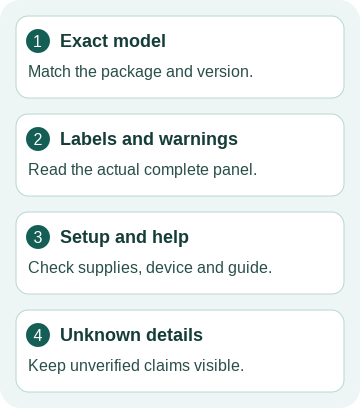
First, match the exact model and package version. Second, read the age and complete warning panel; an under-three exclusion does not lower an older intended age. Third, identify the directions, power, tools, host device and adult help needed. Fourth, keep uncertain details visible rather than borrowing them from another kit.
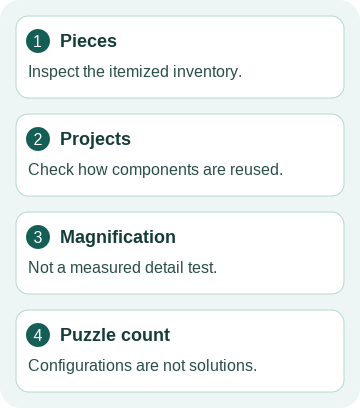
Use Match STEM Activities to Labels, Skills and Supervision for the age-and-help check. Use Check Kit Contents, Device Needs and Repeat Play for the inventory and setup check. Neither guide replaces the actual product instructions or assesses a child’s development.
What our choices mean
An editorial pick identifies a documented format for a stated use, with its qualifications attached. It is not a promise of independent play, safe use at every advertised age, current seller inventory or measured educational benefit. Read the comparison’s limitations alongside its recommendation.
Explore the buying guides for the available comparisons and the articles for the standalone guides. Our disclosure explains the site’s commercial context. No particular purchase is required to use these checking methods: the starting point remains the actual activity, the exact model and a supported setup.
Compare by activity
Balance and measurement activity sets: compare the quantity you want to explore
Our pick is the hand2mind Let’s Learn to Measure Activity Set for adult-guided activities that use several kinds of measuring tools rather than only a balance. The captured box identifies item 93401 and ages 3+, with a small-parts choking warning…
Large-piece construction sets for early builders
A big-looking building piece is not a safety classification. Start with the exact set’s age label and warnings, then compare what the child will actually connect: stacking blocks, rods and connectors, or magnetic shapes. These are different…
Marble-run construction sets: choose the building system, not the biggest number
Our pick is the GraviTrax Starter Set for an older builder who wants to arrange a track across a base, change its height and watch what happens at the next junction. The captured package is marked 8–99 and the listing says 8+. The official…
Mechanical construction kits for older builders
A mechanical construction kit can mean fastening metal parts, assembling a hand-operated linkage, or putting together a powered demonstration model. Choose the construction task first. A high piece count, an older age label or the word “robotic”…
Microscopes for guided observation: choose the view, not the biggest number
Our pick is the National Geographic Dual LED microscope for an adult-guided activity that alternates between prepared slides and the surface of a larger object. The exact listing targets ages 8–12; this is not a claim of independent use or…
Programmable robots: check the device before choosing the robot
Our pick is Dash for a family that wants a ready-built robot rather than a construction kit, provided an adult first confirms a compatible device and the intended app. The captured listing identifies ages six and older, with its description aimed at…
Puzzle and logic construction games: choose the constraint you want to solve
Our pick is Educational Insights Kanoodle for a player who wants to arrange physical pieces in a compact case rather than build a marble route or race across a larger grid. The captured package identifies EI-2978, an advertised age range beginning…
Screen-free coding activity kits: three different ways to give instructions
Our pick is the Botley 2.0 Activity Set for a child within the maker’s 5+ age label who wants to plan a route with physical cards and send commands from a separate programmer. The maker’s exact Activity Set page carries a small-parts choking warning…
Simple-machine activity kits: compare the mechanism and the directions
Our pick is the Learning Resources STEM Simple Machines Activity Set for an adult-guided activity that starts with recognizable mechanical components rather than a long model build. The exact listing and maker identify ages 5+. The maker’s…
Snap-together circuit kits: match the connectors, supply and directions
Our pick is the Snap Circuits Explorer SC-100 for a child who meets its 8+ label and wants to follow illustrated layouts using components that snap onto a grid. The photographed package requires two AA batteries, not included. The manufacturer’s…
Plan labels, supplies and supervision
Check kit contents, device needs and repeat play
The main object in a product photo is only part of a STEM activity. A first session may also need batteries, tools for a battery cover, a compatible device, a matching guide or space for a partly built structure. Before choosing a kit, separate what…
Match STEM activities to labels, skills and supervision
A STEM label tells you something about the intended activity, not everything about the child, the setup or the supervision needed. Before choosing a construction kit, circuit set or coding robot, separate three questions: What does the exact product…